Research HPC Cluster (Aoraki)
On this Page
- What the HPC Research Cluster is
- Cluster computing resources available
- Resource term definitions
Shared computing resources available to Otago researchers include high performance computing, fast storage, GPUs and virtual servers.
Otago Resources
The Aoraki Research Cluster provides researchers with access to shared resources, such as CPUs, GPUs, and high-speed storage. Also available are specialised software and libraries optimised for scientific and data science computing.
If you need special software or configurations, please ask the eResearch Support team at rtis.support@otago.ac.nz.
Cluster Overview
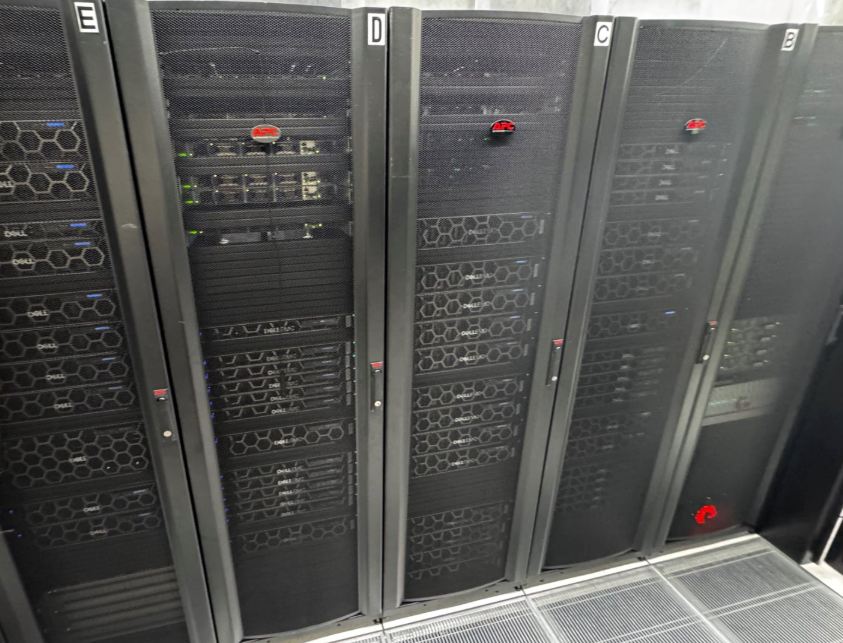
We offer a variety of SLURM partitions based on different resource needs. The default partition (aoraki) provides balanced compute and memory capabilities. Additional partitions include those optimized for GPU usage and those with expanded memory capacity.
Note
Every cluster node reserves 2 cores for the OS and Weka storage, reducing the compute cores available to jobs by 2.
Individual Job Limitations
This table lists the default maximum resources that can be requested for individual jobs. If your work requires alterations to these limitations please contact rtis.support@otago.ac.nz to discuss how these can be accommodated.
| Partition | Time Limit (Days) | Max Running Jobs | Max CPU | Max Mem | Max GPUs | Num Nodes | NodeList |
|---|---|---|---|---|---|---|---|
| aoraki* | 7 | 100 | 126 | 1000G | - | 27 | aoraki[01-09,14-15,17,20-26,34-41] |
| aoraki_bigcpu | 14 | 50 | 252 | 1500G | - | 10 | aoraki[15,20-23,34-38] |
| aoraki_bigmem | 14 | 10 | 126 | 2000G | - | 5 | aoraki[14,17,24-26] |
| aoraki_fastcore | 14 | 50 | 94 | 1500G | - | 5 | aoraki[39-43] |
| aoraki_long | 30 | 25 | 252 | 2000G | - | 10 | aoraki[20-26,34-36] |
| aoraki_short | 1 | 250 | 32 | 256G | - | 3 | aoraki[11,12,16] |
| aoraki_small | 7 | 30 | 8 | 32G | - | 7 | aoraki[18,19,27,28,31-33] |
| aoraki_gpu | 7 | 2 | 16 | 150G | 2 | 10 | aoraki[11,12,16,18,19,27,28,31-33] |
| aoraki_gpu_H100 | 7 | 2 | 16 | 150G | 2 | 2 | aoraki[16,30] |
| aoraki_gpu_L40 | 7 | 2 | 16 | 150G | 2 | 5 | aoraki[18,19,31-33] |
| aoraki_gpu_A100_80GB | 7 | 2 | 16 | 150G | 2 | 2 | aoraki[11,12] |
| aoraki_gpu_A100_40GB | 7 | 2 | 16 | 150G | 2 | 2 | aoraki[27,28] |
| aoraki_gpu_L4_24GB | 7 | 2 | 8 | 60G | 2 | 1 | aoraki[29] |
| aoraki_gpu_RTX6000^ | 7 | 2 | 16 | 150G | 2 | 2 | aoraki[45-46] |
| aoraki_gpu_H200^ | 7 | 2 | 16 | 220G | 2 | 1 | aoraki44 |
| aoraki_gpu_RTX3090 | 7 | 2 | 8 | 60G | 2 | 4 | aoraki-g[01,02,04,05] |
- Partition: Name of the partition. An asterisk (
*) denotes the default partition; a caret (^) denotes new hardware where access is limited and must be requested from rtis.support@otago.ac.nz. - Time Limit (Days): Maximum time a job can run in that partition. The time limit for running jobs can be extended upon request. In such cases, the extended time limit may exceed the partition's standard wall time.
- Max Running Jobs: The maximum number of simultaneously running jobs. Subsequent jobs will wait in the queue.
- Max CPU: Maximum number of CPU cores available to be requested on a node.
- Max Mem: The maximum amount of memory (in GB) available to be requested on each node in the partition.
- Max GPUs: The maximum number of GPUs that can be requested on a node for a job. Shown as
-for partitions with no GPUs. - Num Nodes: Number of nodes available in the partition.
- NodeList: The specific nodes allocated to that partition.
aoraki_small and aoraki_short are specialized partitions that utilize typically idle CPU cores on GPU nodes, designed to handle small or short-duration jobs efficiently.
Additional limits
- Maximum of 5000 submitted jobs per user (OnDemand jobs are not counted in this limit)
- Jobs requesting GPUs or running through OnDemand are limited to a single node
- OnDemand is limited to 10 running jobs per user
- Users are limited to 2 simultaneously running GPU jobs per GPU partition. Any additional GPU jobs will remain queued until resources become available
Individual Node Specifications
Within the cluster there are different hardware configurations to accommodate a wide range of use cases. Some jobs require specific hardware or may benefit from running on a particular node type.
| Node Count | Node Type | CPU | RAM | GPU | CPU Clock |
|---|---|---|---|---|---|
| 1 | aoraki-login | 2x 64 cores AMD EPYC 7763 | 1TB DDR4 3200 MT/s | - | 2.4GHz |
| 9 | aoraki[01-09] | 2x 64 cores AMD EPYC 7763 | 1TB DDR4 3200 MT/s | - | 2.4GHz |
| 5 | aoraki[14,17,24-26] | 2x 64 cores AMD EPYC 7763 | 2TB DDR4 2933 MT/s | - | 2.4GHz |
| 10 | aoraki[15,20-23,34-38] | 2x 128 cores AMD EPYC 9754 | 1.5TB DDR5 4800 MT/s | - | 2.2GHz |
| 5 | aoraki[39-43] | 2x 48 cores AMD EPYC 9474F | 1.5TB DDR5 4800 MT/s | - | 3.6GHz |
| 2 | aoraki[11,12] | 2x 64 cores AMD EPYC 7763 | 1TB DDR4 3200 MT/s | 2x A100 80GB (CUDA 12.5, NVLink 20.55GB/s) | - |
| 2 | aoraki[27,28] | 2x 32 cores AMD EPYC 7543 | 1TB DDR4 3200 MT/s | 2x A100 40GB (CUDA 12.5, NVLink 16.21GB/s) | - |
| 1 | aoraki16 | 2x 56 cores Intel Xeon 8480+ | 1TB DDR5 4800 MT/s | 4x H100 80GB HBM3 (CUDA 12.4, NVLink 121.29GB/s) | - |
| 1 | aoraki30 | 2x 32 cores Intel Xeon 8562Y+ | 1TB DDR5 4800 MT/s | 4x H100 96GB NVL (CUDA 12.5, NVLink 237.16GB/s) | - |
| 2 | aoraki[18,19] | 2x 32 cores AMD EPYC 7543 | 1TB DDR4 3200 MT/s | 3x L40 48GB (CUDA 12.5, NVLink 24.37GB/s) | - |
| 3 | aoraki[31-33] | 1x 64 cores AMD EPYC 9554P | 768GB DDR5 4800 MT/s | 3x L40S 48GB (CUDA 12.5, NVLink 24.48GB/s) | - |
| 1 | aoraki29 | 2x 32 cores Intel Xeon 8562Y+ | 1TB DDR5 4800 MT/s | 7x L4 24GB (CUDA 12.5, NVLink 21.05GB/s) | - |
| 1 | aoraki44 | 2x 64 cores AMD EPYC 9575F | 2.2TB DDR5 6400 MT/s | 8x H200 144GB | - |
| 2 | aoraki[45-46] | 2x 64 cores AMD EPYC 9575F | 1.5TB DDR5 6400 MT/s | 8x RTX6000 PRO 98GB | - |
| 2 | standalone (Threadripper workstation) | 32 cores AMD Ryzen Threadripper PRO 3975WX | 128GB DDR4 3200 MT/s | 1x RTX 3090 24GB (CUDA 12.5) | - |
| 3 | standalone (Ryzen 9 workstation) | 16 cores AMD Ryzen 9 5950X | 64GB DDR4 3200 MT/s | 1x RTX 3090 24GB (CUDA 12.5) | - |
| 4 | standalone (Xeon E5-2620 workstation) | 2x 6 cores Intel Xeon E5-2620 v3 | 256GB DDR4 3200 MT/s | 2x RTX A6000 48GB | - |
- GPU:
-indicates the node has no GPU. Where shown, interconnect bandwidth (e.g. NVLink) and CUDA version are noted where known. - CPU Clock: Base clock speed, shown where recorded.
-indicates this wasn't recorded for that node (currently only tracked for CPU-only nodes). - standalone: dedicated GPU workstations outside the main
aoraki[NN]node numbering.